




Can a UPS Battery Backup power a desktop computer and monitor?
 May 28, 2025|
 In the modern digital age, a stable power supply is crucial for the seamless operation of desktop computers and monitors. Sudden power outages can lead to data loss, hardware damage, and disruptions in work or entertainment. This is where a UPS (Uninterruptible Power Supply) battery backup comes into play. As a supplier of UPS battery backups, I am often asked whether a UPS can power a desktop computer and monitor. In this blog post, we will explore this question in detail, considering various factors such as power requirements, UPS capacity, and runtime.
Understanding the Power Requirements of Desktop Computers and Monitors
Before determining whether a UPS can power a desktop computer and monitor, it is essential to understand their power requirements. Desktop computers come in a wide range of configurations, from basic office setups to high - performance gaming rigs. The power consumption of a desktop computer depends on several factors, including the CPU, GPU, number of hard drives, and other components.
On average, a basic office desktop computer may consume around 100 - 200 watts, while a high - end gaming computer can consume 500 watts or more. Monitors also vary in power consumption. A typical LCD monitor may use between 20 - 50 watts, while larger or high - resolution monitors can consume up to 100 watts.
To accurately determine the power requirements of your specific desktop computer and monitor, you can check the power supply unit (PSU) label on the computer case. The label usually indicates the maximum power output of the PSU, which gives you an idea of the computer's potential power consumption. For the monitor, you can refer to the product manual or the manufacturer's website.
How UPS Battery Backups Work
A UPS battery backup is a device that provides emergency power to connected devices when the main power source fails. It consists of a battery, an inverter, and a charger. When the main power is available, the charger keeps the battery charged. When a power outage occurs, the inverter converts the DC power stored in the battery into AC power, which is then supplied to the connected devices.
There are different types of UPS systems, including standby (off - line), line - interactive, and online (double - conversion) UPS. Standby UPS is the most basic and affordable type. It switches to battery power when the main power voltage drops below a certain level. Line - interactive UPS provides some voltage regulation in addition to battery backup. Online UPS provides the highest level of protection, as it continuously supplies power from the battery - inverter system, even when the main power is available.
Can a UPS Battery Backup Power a Desktop Computer and Monitor?
The answer is yes, a UPS battery backup can power a desktop computer and monitor, but it depends on several factors:
UPS Capacity
The capacity of a UPS is measured in volt - amperes (VA) or watts. The VA rating is the apparent power, while the watt rating is the real power. To determine if a UPS can power your desktop computer and monitor, you need to compare the total power consumption of these devices with the UPS's watt rating.
For example, if your desktop computer consumes 200 watts and your monitor consumes 30 watts, the total power consumption is 230 watts. You should choose a UPS with a watt rating that is higher than this total. As a general rule of thumb, it is recommended to choose a UPS with a watt rating that is at least 20 - 30% higher than the total power consumption of your devices to account for any power surges or additional devices you may connect in the future.
Runtime
The runtime of a UPS refers to the amount of time it can power your devices during a power outage. The runtime depends on the capacity of the UPS battery and the power consumption of the connected devices. A larger battery capacity and lower power consumption will result in a longer runtime.
Most UPS systems come with a runtime specification for a certain load. For example, a UPS may have a runtime of 10 minutes when powering a 200 - watt load. If your total power consumption is 230 watts, the runtime will be shorter. You can use the UPS manufacturer's runtime calculator to estimate the runtime based on your specific power consumption.
Choosing the Right UPS for Your Desktop Computer and Monitor
When choosing a UPS for your desktop computer and monitor, consider the following:
Power Rating
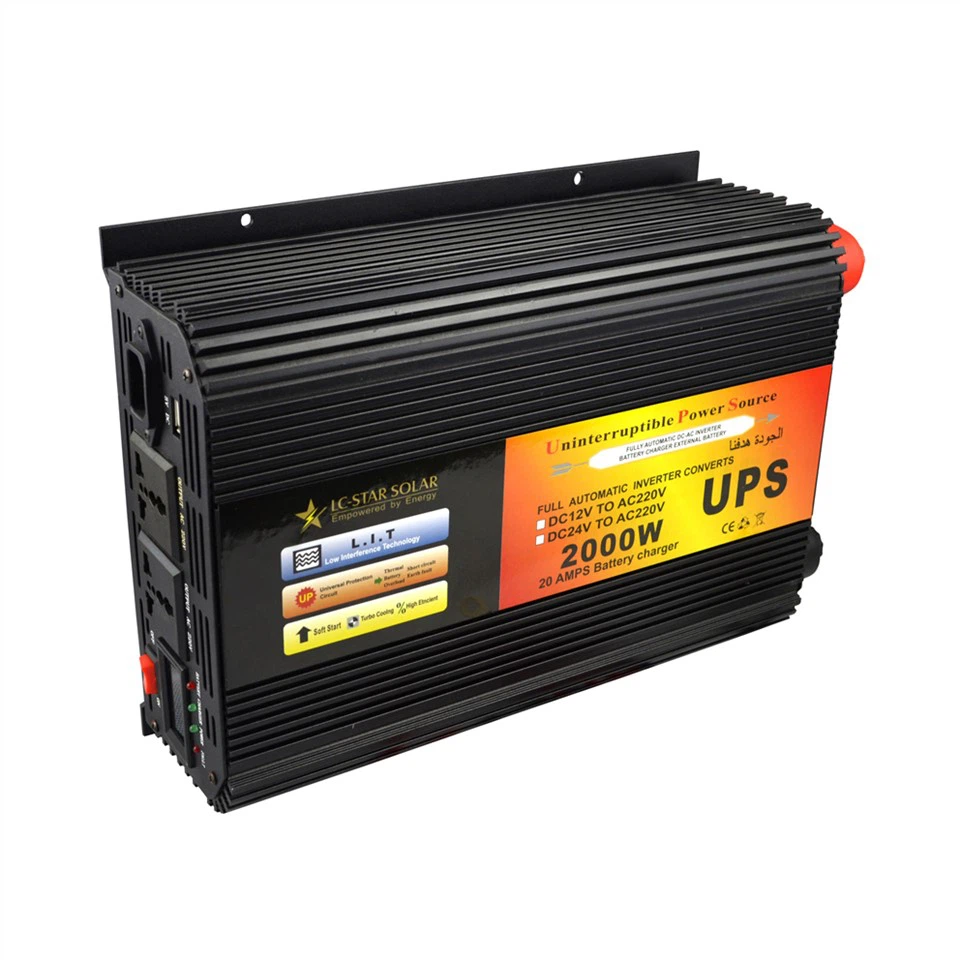
As mentioned earlier, choose a UPS with a watt rating that is higher than the total power consumption of your desktop computer and monitor. You can find the power rating on the UPS product label or the manufacturer's website.

Runtime
Determine how long you need the UPS to power your devices during a power outage. If you only need enough time to save your work and shut down your computer gracefully, a UPS with a shorter runtime may be sufficient. However, if you need to continue working for an extended period, you may need a UPS with a larger battery capacity and longer runtime.
Type of UPS
Consider the type of UPS that best suits your needs. Standby UPS is suitable for basic home or office setups where cost is a concern. Line - interactive UPS provides better voltage regulation and is a good choice for most users. Online UPS is recommended for critical applications where a continuous and clean power supply is essential, such as servers or high - end workstations.
Benefits of Using a UPS for Your Desktop Computer and Monitor
Using a UPS for your desktop computer and monitor offers several benefits:
Data Protection
A UPS provides enough time to save your work and shut down your computer gracefully during a power outage, preventing data loss and corruption.
Hardware Protection
Power surges and spikes can damage your computer's hardware components. A UPS helps to protect your desktop computer and monitor from these electrical disturbances by providing a stable power supply.
Continuity of Work
With a UPS, you can continue working for a short period during a power outage, minimizing disruptions to your workflow.
Conclusion
In conclusion, a UPS battery backup can power a desktop computer and monitor, provided that you choose the right UPS with an appropriate capacity and runtime. As a supplier of UPS battery backups, we offer a wide range of products, including True Sine Wave Uninterruptible Power Supply and Emergency Power Supply. Our Emergency Power Supply is designed to meet the diverse needs of our customers, whether for home use or business applications.
If you are interested in purchasing a UPS battery backup for your desktop computer and monitor, or if you have any questions about our products, please feel free to contact us for a procurement discussion. We are committed to providing you with the best solutions and excellent customer service.
References
- "UPS Buyer's Guide," APC by Schneider Electric.
- "Power Management for Home and Office," Tripp Lite.
- Manufacturer's product manuals and websites for desktop computers and monitors.