




What is the impact of a UPS Battery Backup on my electricity bill?
 Jun 24, 2025|
 Hey there! As a supplier of UPS Battery Backup, I often get asked about the impact of these devices on electricity bills. So, I thought I'd write this blog to clear up some common questions and give you a better understanding of how UPS Battery Backup works and what it means for your wallet.
First things first, let's talk about what a UPS Battery Backup is. A UPS, or Uninterruptible Power Supply, is a device that provides emergency power to your electrical equipment when the main power source fails. It's like a safety net for your electronics, protecting them from power outages, surges, and other electrical issues. You can learn more about Emergency Power Supply on our website.
The basic idea behind a UPS Battery Backup is simple. It has a built - in battery that charges when the main power is on. When there's a power outage, the UPS switches over to battery power, allowing your devices to keep running for a certain period of time. This can be crucial for businesses, where even a short power outage can lead to data loss, equipment damage, and lost productivity. For home users, it can protect important appliances and prevent the inconvenience of having to restart everything after a power cut. You can check out our UPS Battery Backup products for more details.
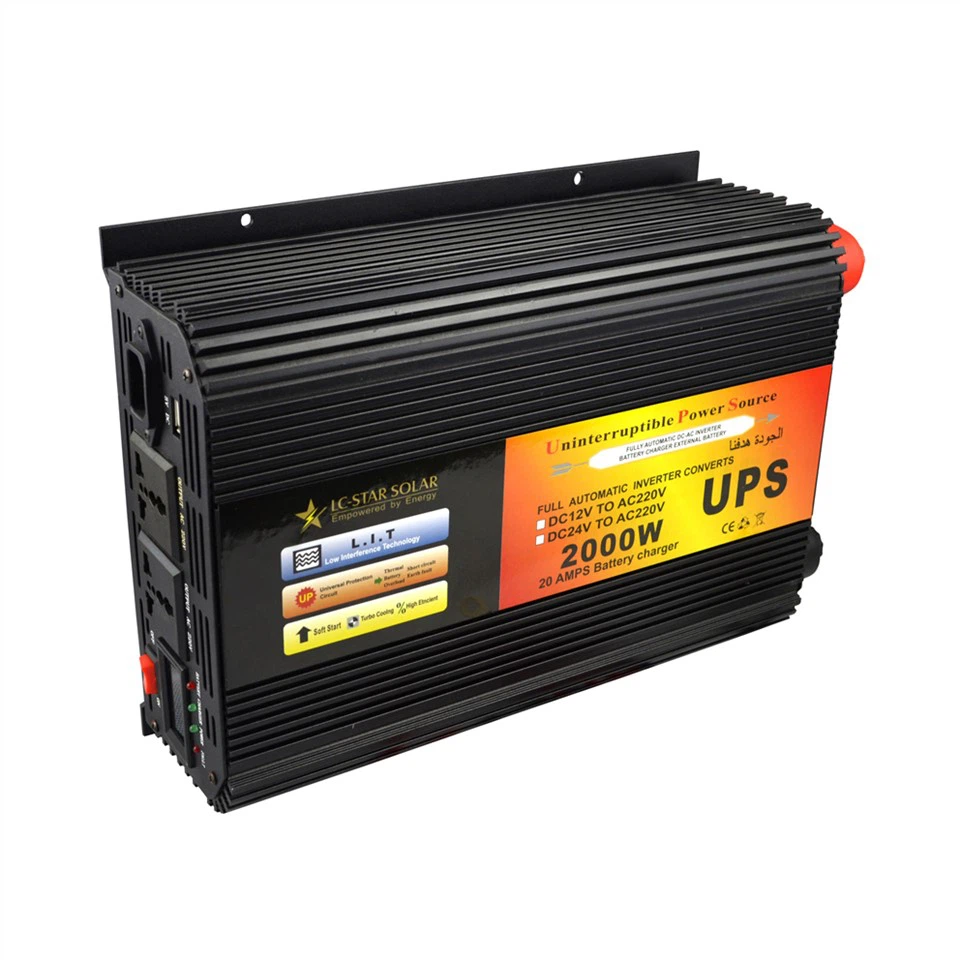

Now, let's get to the main question: What is the impact of a UPS Battery Backup on my electricity bill? Well, it depends on a few factors.
1. Standby Power Consumption
One of the main ways a UPS Battery Backup affects your electricity bill is through standby power consumption. Even when there's no power outage and your devices are running on the main power supply, the UPS is still using a small amount of electricity to keep its battery charged and to power its internal circuits. This standby power consumption is usually quite low, but it can add up over time.
Most modern UPS systems are designed to be energy - efficient, with standby power consumption ranging from a few watts to around 20 - 30 watts, depending on the size and capacity of the UPS. For example, a small UPS for home use might consume around 5 - 10 watts in standby mode, while a larger industrial - grade UPS could use up to 30 watts or more.
To put this into perspective, let's do a quick calculation. If a UPS consumes 10 watts of power in standby mode and runs 24 hours a day, 7 days a week, it will use 240 watt - hours (10 watts x 24 hours) per day. Over the course of a month (assuming 30 days), it will use 7200 watt - hours, or 7.2 kilowatt - hours (kWh). If your electricity rate is $0.15 per kWh, the monthly cost of running the UPS in standby mode will be about $1.08. While this might not seem like a huge amount, it's still something to consider, especially if you have multiple UPS systems in your home or business.
2. Recharging the Battery
Another factor that can affect your electricity bill is the energy required to recharge the UPS battery after a power outage. When the main power is restored, the UPS will start recharging its battery. The amount of energy needed for recharging depends on how much of the battery's capacity was used during the outage.
The recharging process is not 100% efficient, which means that some energy is lost as heat. The efficiency of battery recharging can vary depending on the type of battery and the design of the UPS, but it's typically around 80 - 90%. So, if a UPS battery uses 500 watt - hours of energy during a power outage, it might require around 550 - 625 watt - hours of energy to fully recharge it.
However, power outages are usually infrequent, so the impact of recharging on your electricity bill is generally much smaller compared to standby power consumption. Unless you live in an area with frequent power outages, the cost of recharging the battery is likely to be a minor expense.
3. Energy Savings from Protecting Devices
On the flip side, a UPS Battery Backup can actually help you save money on your electricity bill in some cases. By protecting your devices from power surges and outages, it can prevent damage to your equipment, which could otherwise lead to costly repairs or replacements.
For example, a power surge can damage sensitive electronics like computers, TVs, and home appliances, reducing their lifespan and increasing their energy consumption. A UPS can filter out these surges, ensuring that your devices receive a clean and stable power supply. This can not only extend the life of your equipment but also improve its energy efficiency, leading to lower electricity bills in the long run.
In addition, for businesses, a UPS can prevent data loss and downtime, which can have a significant financial impact. By keeping your systems running during a power outage, you can avoid lost revenue and productivity, which can far outweigh the cost of running the UPS.
Tips to Minimize the Impact on Your Electricity Bill
If you're concerned about the impact of a UPS Battery Backup on your electricity bill, here are some tips to help you reduce the cost:
- Choose an Energy - Efficient UPS: Look for UPS systems with high energy - efficiency ratings. Many manufacturers now offer Energy Star - certified UPS models, which are designed to consume less power in standby mode.
- Size the UPS Correctly: Don't oversize your UPS. Choose a UPS with a capacity that matches the power requirements of your devices. An oversized UPS will consume more standby power than necessary.
- Turn off Unused UPS Systems: If you have a UPS that's not connected to any devices or is not needed, turn it off. This will eliminate the standby power consumption.
In conclusion, while a UPS Battery Backup does consume some electricity, the impact on your electricity bill is usually relatively small, especially when you consider the benefits it provides in terms of protecting your devices and ensuring continuous power supply. Whether you're a home user or a business owner, a UPS can be a valuable investment. If you're interested in learning more about our Emergency Power Supply products or have any questions about how to choose the right UPS for your needs, feel free to reach out to us. We'd be happy to help you with your procurement and answer any questions you might have.
References
- Energy Star. (n.d.). Energy - efficient UPS systems. Retrieved from the official Energy Star website.
- Manufacturer's specifications for various UPS Battery Backup models.