





UPS Battery Backup
The concepts of "integrity, excellency, and mutual-benefit" enable Longchi to establish a long-term partnership with distributors from more than 50 countries. The annual sales volume amounts to 530 million.

- Product Introduction
Company Profile
The originator of Longchi technology has rooted in the field of solar energy as early as in 1990s. Longchi factory was founded in 2011, occupies 56667 square meter and is located at the center of the Yangtze River Delta-Huzhou,Zhejiang.
Longchi is the forerunner of off-grid solar energy system and home energy storage solutions in China, aiming to improve the energy supply situation especially in rural areas. With strong R&D, reliable quality, and strict supply chain management, Longchi products have been testified for peak performance and long life. The concepts of "integrity, excellency, and mutual-benefit" enable Longchi to establish a long-term partnership with distributors from more than 50 countries. The annual sales volume amounts to 530 million.
Why Choose Us
High quality
Our products are manufactured or executed to very high standards, using the finest materials and manufacturing processes.
Quality control
We have professional personnel to monitor the production process, inspect the products and ensure that the final product meets the required quality level standards, guidelines and specifications.
Delivery speed
We have huge production capacity to ensure on-time delivery and transportation to the destination as soon as possible.
24h online service
We try and respond to all concerns within 24 hours and our teams are always at your disposal in case of any emergencies.
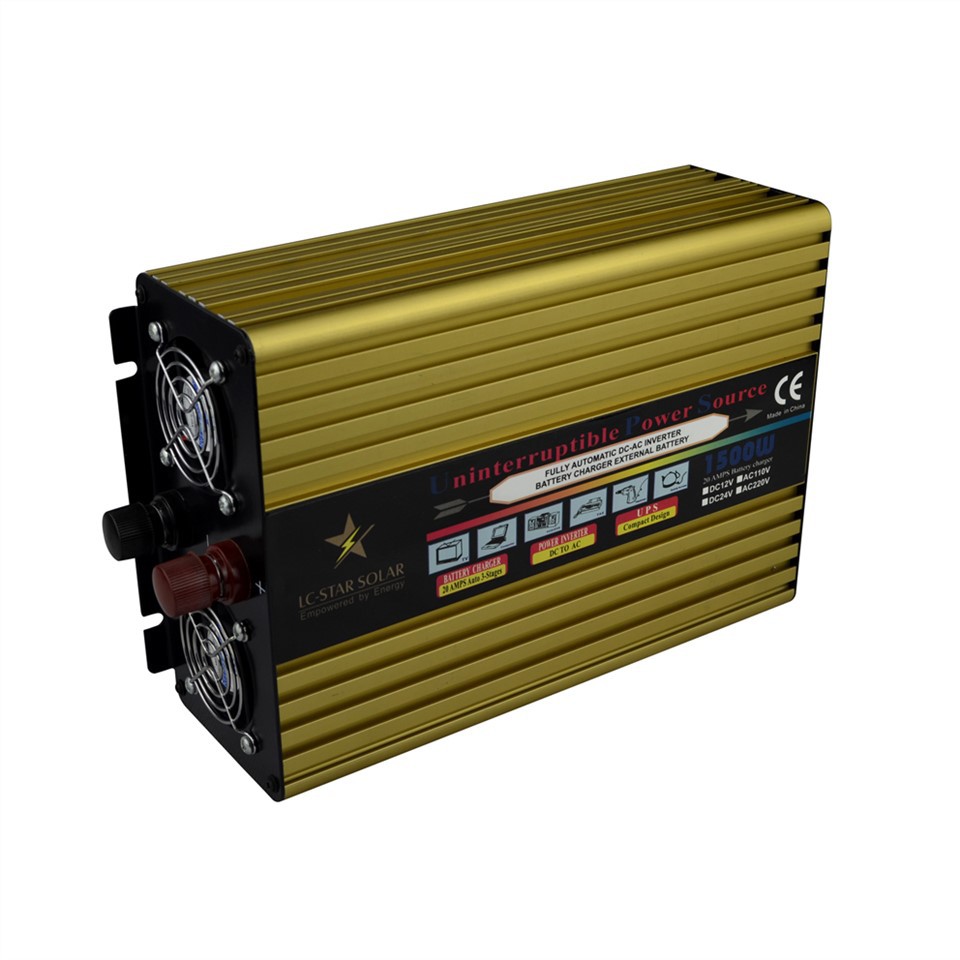
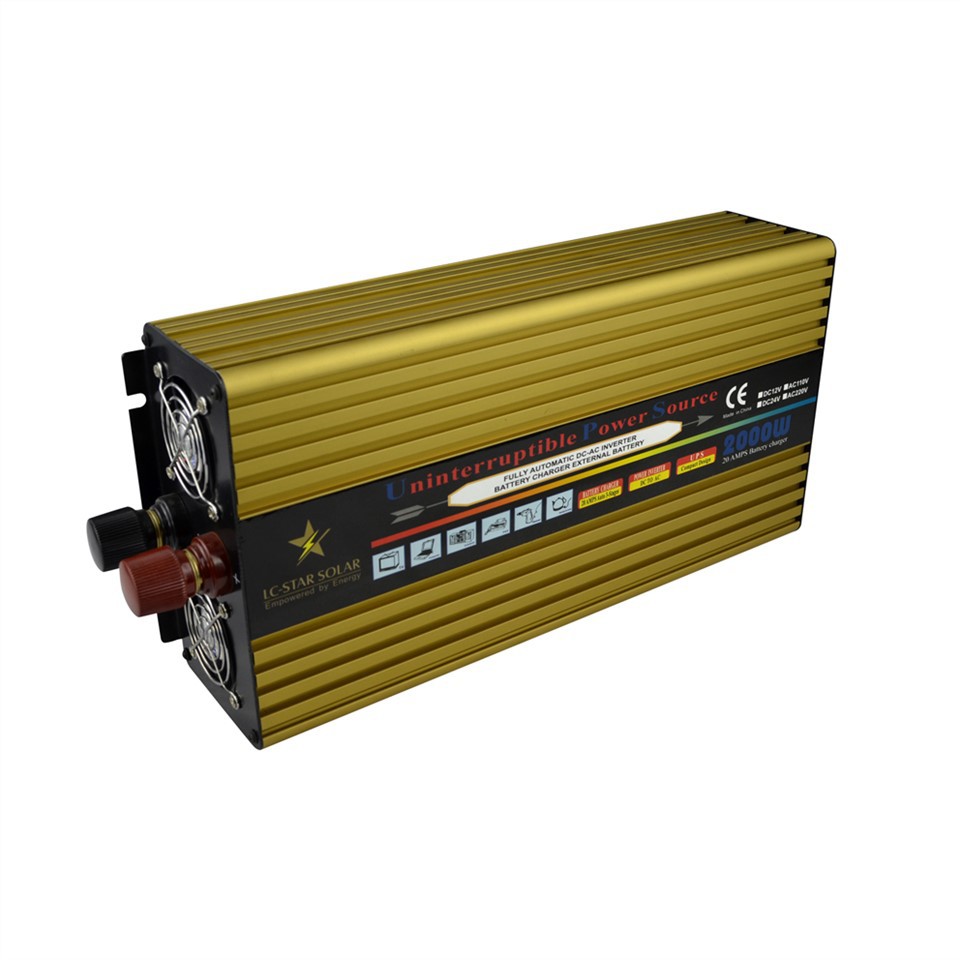
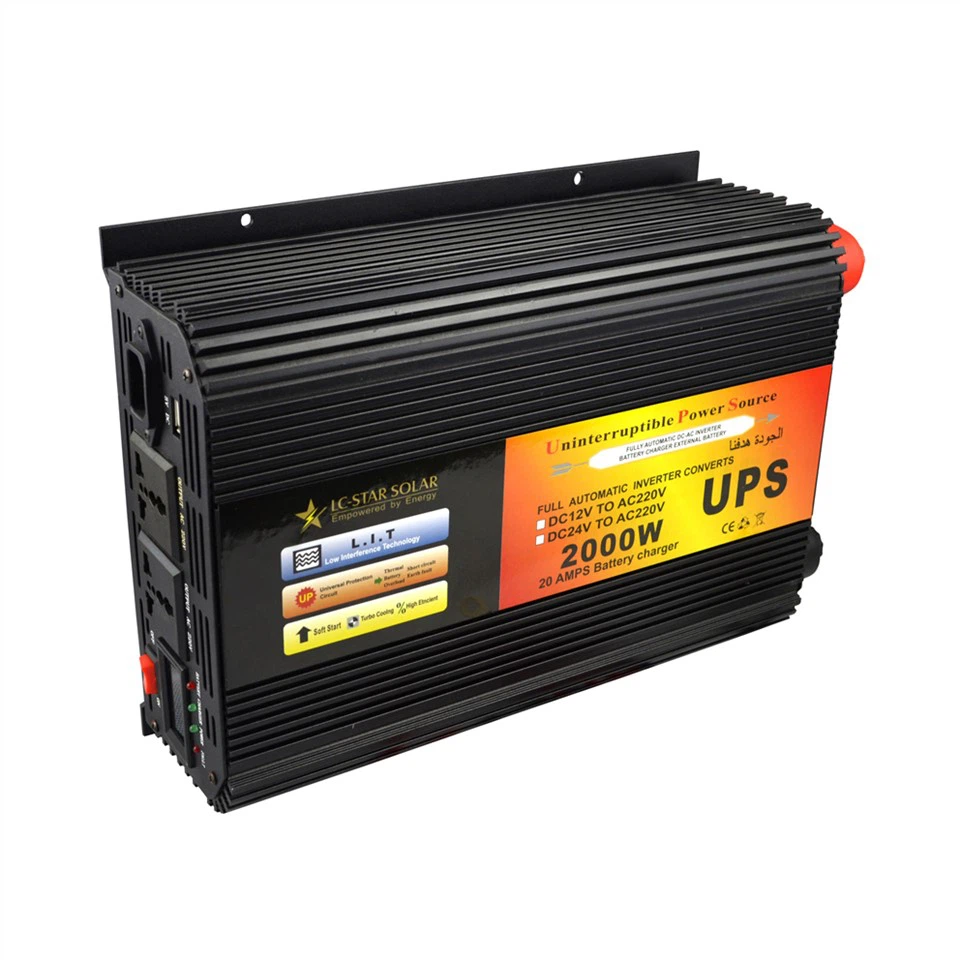
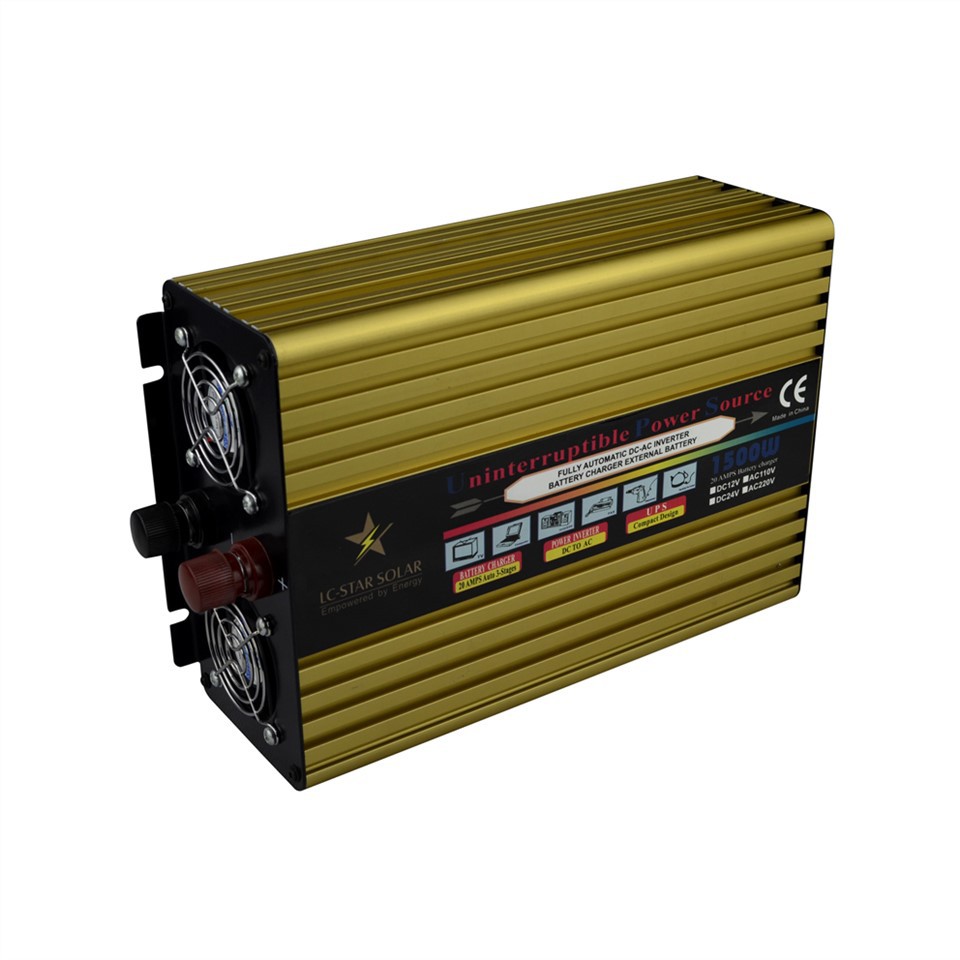
What is UPS Battery Backup?
A UPS, or Uninterruptible Power Supply, battery backup is a specialized device designed to provide temporary power to connected electronic devices during electrical disruptions. Unlike traditional surge protectors or power strips, a UPS battery backup offers a crucial layer of protection by ensuring continuous power flow to sensitive equipment, such as computers, servers, networking devices, and other critical electronics.
At its core, a UPS battery backup serves as a reliable intermediary between the main power source and the connected devices. When a power outage occurs, the UPS seamlessly switches to battery mode, offering precious minutes of power to facilitate a safe shutdown or continued operation until the primary power supply is restored.
Moreover, UPS battery backups are equipped with surge protection capabilities, shielding connected devices from voltage spikes and electrical disturbances. This feature is instrumental in preventing damage to hardware components and data loss, thereby extending the lifespan and reliability of electronic equipment.
Benefits of UPS Battery Backup
Protection sgainst power outages
Although power outages are not very common, they do happen from time to time. A bad thunderstorm, car crash that downs power lines or a power grid overload can cause a blackout, even if it lasts for a short period of time. Work right through a short blackout or take precautionary measures against a longer one with your backup battery, which prevents your computer from shutting off along with the power.
Protection against power variances
You probably don't think about the consistency and quality of your electricity supply very often, but the truth of the matter is it's not always as precise as is ideal. Variances in power supply can cause damage to delicate equipment like computers. With a UPS backup battery, you will protect your computer from these variances since the UPS unit acts as a filter, allowing only a steady stream of even power to reach your machine.
Data protection
Damage done to your computer or servers as a result of power surges or other variances can mean you lose data. With the protection of a UPS unit, you won't face this difficult situation.
Keeping work safe
Who hasn't experienced it? The power goes off suddenly and you haven't saved your work in a while. Is there anything more frustrating? Your data has been lost and you must start from zero, or close to it.
Saving time
In the previous scenario, not only do you lose work, you lose time. Not only time in redoing work that you had already finished, but also the time it takes for the power to come back on, for your machine to reboot and for you to reopen the files you were working on. This precious time is saved by using a UPS backup battery.
Confidence
Ultimately, a UPS backup battery gives you peace of mind while working. You won't have to cringe when a thunderstorm rolls through, wondering if it would be better to simply power down your machine and wait it out. In addition, you won't have those fears in the back of your mind that a power blackout may instantly cut off your work, wasting your time and efforts.
What are the Different Types of UPS Batteries
If you are on the hunt for a new UPS battery, you may be wondering exactly what is out there to choose from. There are three main types of batteries used for UPS, or uninterruptible power supplies: Lead-Acid, Nickel-Cadmium, and Lithium Ion. There is not a single "best" type of UPS battery.
Lead-scid UPS batteries
Lead-Acid batteries are known for their reliability when used in a UPS, and that alone has made them a popular choice of UPS battery for quite a while. They are also the most economical choice when weight is not a concern, like in large power applications. Their cost-effectiveness combines with high tolerance and low internal impedance for a smart battery choice.
Within the Lead-Acid battery family, there are two subtypes:
Valve Regulated (VRLA): This is the most common type of battery found in modern UPS systems. Also known as Sealed Lead-Acid (SLA), these batteries typically come with a 5 to 10 year design life. They are best suited to a dry and climate-controlled room that is kept at a temperature of 20-25°C. They can be mounted either vertically or horizontally, which means they can be used in battery compartments, rackmount trays, or cabinets.
Open Vented (VLA): These batteries contain plates that are flooded with electrolyte acid, so they are commonly referred to as Flooded. Their design life is up to 20 years, and they are usually used in places which need a high ampere-hour (Ah) rating. This type of battery must be placed in a dedicated room equipped with wash-down facilities in case of an acid leak, and they must be kept upright.
Nickel-cadmium UPS batteries
Formerly a popular choice of telecoms installations, Nickel-Cadmium (NiCd) batteries are still used in locations with very high ambient temperatures. Additionally, they are able to handle a wide ambient temperature range of -20°C to +40°C. They offer the advantage of a 20 year design life, a long life cycle, and tolerance of deep discharges.
But they are more expensive than VRLAs, and the toxic materials with which they are made makes them hard to dispose of. Many countries have outlawed or severely restricted the manufacture and usage of Nickel-Cadmium batteries for this reason.
Lithium-ion UPS batteries
Lithium-Ion (Li-Ion) batteries have been the standard for laptops and smartphones for a long time. Now they are being used to propel electric vehicles into the future. Because of this rich history, they are becoming an increasingly viable option for UPS.
They have higher reliability than both types of Lead-Acid batteries thanks to built in monitoring and management systems. They are also smaller, lighter, and have faster charge times than Lead-Acid and Nickel-Cadmium batteries. And finally, their longer service life balances out the increased upfront capital cost to purchase Lithium-Ion batteries.
A high-quality lead-acid battery: Look for a battery with a sufficient capacity to power your devices for the desired duration. It's recommended to choose a deep cycle battery for longer backup times.
An inverter: This converts the battery's DC power to AC power, making it compatible with your electronic devices. Ensure that the inverter's capacity matches or exceeds the power requirements of your devices.
A battery charger: A charger is essential for keeping the UPS battery backup charged and ready for use. Opt for a charger that is compatible with your battery and has a charging capacity suitable for your needs.
Battery cables and connectors: These are required to connect the battery, inverter, and charger together. Ensure that the cables are of the correct gauge to handle the electrical load.
A power strip or surge protector: This provides multiple outlets for connecting your devices and protects them from power surges.
Wiring terminals and connectors: These are needed to securely connect the different components of your UPS battery backup system.
Tools: You'll need basic tools such as wire cutters, wire strippers, screwdrivers, and a soldering iron to assemble the system.
Electrical tape and heat shrink tubing: These help insulate the connections and prevent any electrical shorts.
A sturdy enclosure or case: This provides a protective housing for your UPS battery backup components and ensures safety.

Application of UPS Battery Backup
With such an important job, let's look at what a UPS is used for in different settings. Here are some applications of UPS systems.
Medical equipment
Medical facilities are packed with critical equipment. Even small outages can have severe consequences for patient health and safety. Consider life support equipment or machinery used during surgery. Power blackouts pose clear risks, and unstable power can also cause dangerous performance interruptions or damage to the device.
The most common use for a UPS in a medical facility is to sustain diagnostic and life support systems when the patient is being moved from room to room. These smaller UPS systems are mounted at the base of a cart and are light enough to be moved around by a nurse. These carts get docked every night to recharge their batteries.
Data storage and computers
IT systems also use a wide range of sensitive and expensive electronics. Blackouts or brownouts can put these complex systems at risk for data loss, security breaches, and equipment damage. Even brief power losses can make IT networks vulnerable, potentially exposing sensitive data. Data centers use UPS systems to protect their reputation and income, and many businesses use them to keep internal data secure and prevent the loss of protected information.
Emergency management and law enforcement
Emergency infrastructure must withstand power interruptions. In 911 call centers, police and fire departments, water control facilities and utility companies and so on, UPS systems often play a key role in keeping their communication infrastructure resources up and running during disasters or routine power outages. In short, UPS systems of different styles are everywhere around us.
Financial institutions
Banks, financial tech companies, and other financial organizations use electronics to safeguard the vast majority of funds in circulation. Power outages can make them vulnerable to cybersecurity threats or prevent users from accessing their hard-earned money. UPS systems help financial institutions reliably control digital funds even during power interruptions.
Secure communications centers
Secure communications centers are often used for surveillance, military operations, and other security applications. These centers have to be up and running 24-7-365. In order to that, a sufficiently sized UPS is needed to ensure no power loss hampers their operations.
How Does a UPS Battery Backup Work?
Understanding the inner workings of a UPS battery backup unveils its remarkable functionality in maintaining power stability for connected devices. The primary components of a UPS include a battery, an inverter, and a charger, all working in harmony to deliver uninterrupted power during outages.
When the UPS is connected to a power source, the internal battery is continuously charged to ensure readiness for any potential power disruptions. In the event of an outage, the UPS swiftly detects the loss of the main power supply and seamlessly transitions to battery mode, providing immediate power to the connected devices. This seamless switchover is imperceptible to the users, ensuring uninterrupted operation of critical equipment.
The inverter within the UPS plays a pivotal role in converting the direct current (DC) stored in the battery into alternating current (AC), which is the standard form of electricity used by most electronic devices. This conversion process is essential for delivering a consistent and stable power supply to the connected equipment, mirroring the quality of electricity provided by the mains.
Furthermore, UPS battery backups often incorporate surge suppression mechanisms to shield devices from voltage spikes and electrical noise. This safeguarding feature protects sensitive electronics from potential damage caused by power irregularities, ensuring the longevity and reliability of the connected equipment.
The UPS battery backup acts as a vigilant sentinel, monitoring the power supply and swiftly intervening to maintain a seamless flow of electricity to safeguard your valuable electronics. By comprehending the intricacies of its operation, users can appreciate the critical role played by a UPS battery backup in preserving the integrity and functionality of their electronic infrastructure.
Choosing the Right UPS Battery Backup
When selecting a UPS battery backup, several crucial factors should be considered to ensure optimal protection and performance for your specific requirements. Here are essential considerations to guide you in choosing the right UPS:
Power Capacity: Evaluate the power consumption of your devices to determine the appropriate UPS capacity. Select a unit with adequate wattage and runtime to support your equipment during outages.
Topology: Assess your power needs and the sensitivity of your devices to determine the suitable UPS type, such as standby, line-interactive, or online, based on the level of protection required.
Outlets and Connectivity: Consider the number and types of outlets required, as well as additional features like USB ports and network connectivity for remote monitoring and management.
Scalability: If your power needs are expected to grow, opt for a UPS that allows for easy expansion through the addition of external battery packs or the capability to support more devices.
Software Compatibility: Ensure that the UPS is compatible with your operating system and that the included software provides seamless integration for automated shutdowns and power management.
Warranty and Support: Select a UPS from a reputable manufacturer that offers a comprehensive warranty, reliable technical support, and accessible maintenance services.
By meticulously assessing these factors and aligning them with your specific power protection needs, you can make an informed decision when investing in a UPS battery backup. This proactive approach ensures that your electronic devices are shielded from power-related risks and that your operations continue uninterrupted, bolstered by the reliability and resilience of a suitable UPS system.
Certifications


FAQ
Hot Tags: ups battery backup, China ups battery backup manufacturers, suppliers, factory, inverter price, residential energy storage, ups for gaming consoles, domestic energy storage installation, domestic energy storage device, home lead acid battery storage


